Your page for businesses
3 min read
Your page is the public page creators see when they open your business — where they decide whether to pitch you or apply to your offers. You set it up in Settings → Your page, and each part saves on its own. The Your page card on your dashboard shows where it stands.
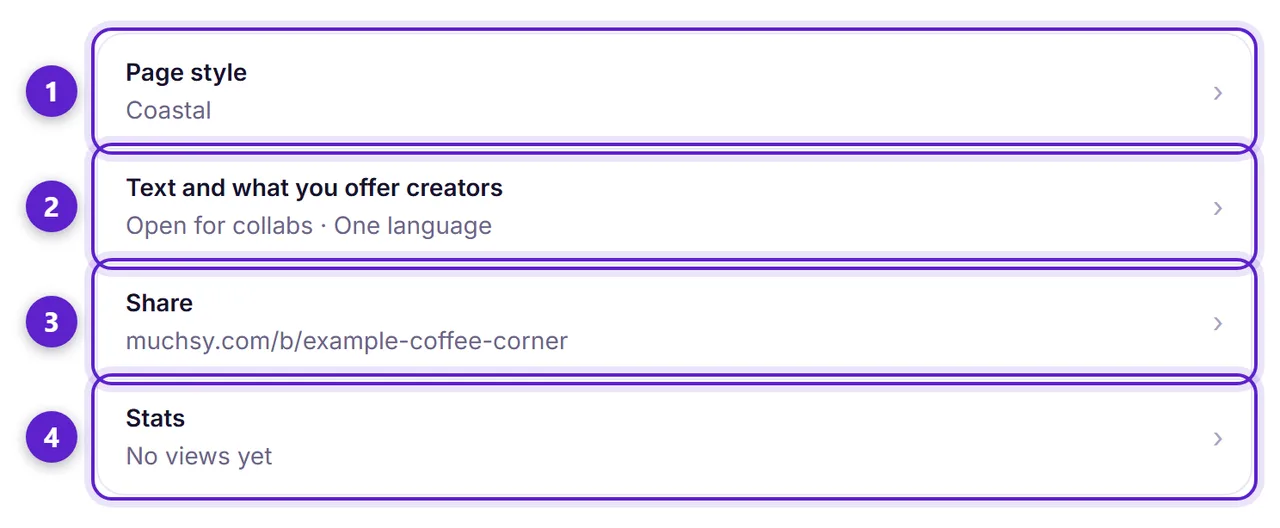
- 1. Page style: Classic, Cocoa, Coastal or Pop. It changes your page only; Muchsy's menus and the cards in the business directory always look the same.
- 2. Text and what you offer creators: your headline, About, Known for, what you offer creators, and your opening hours.
- 3. Share: a short link to your page, a story card and a QR code.
- 4. Stats: private counts of views, and the applications to your offers.
What you offer creators
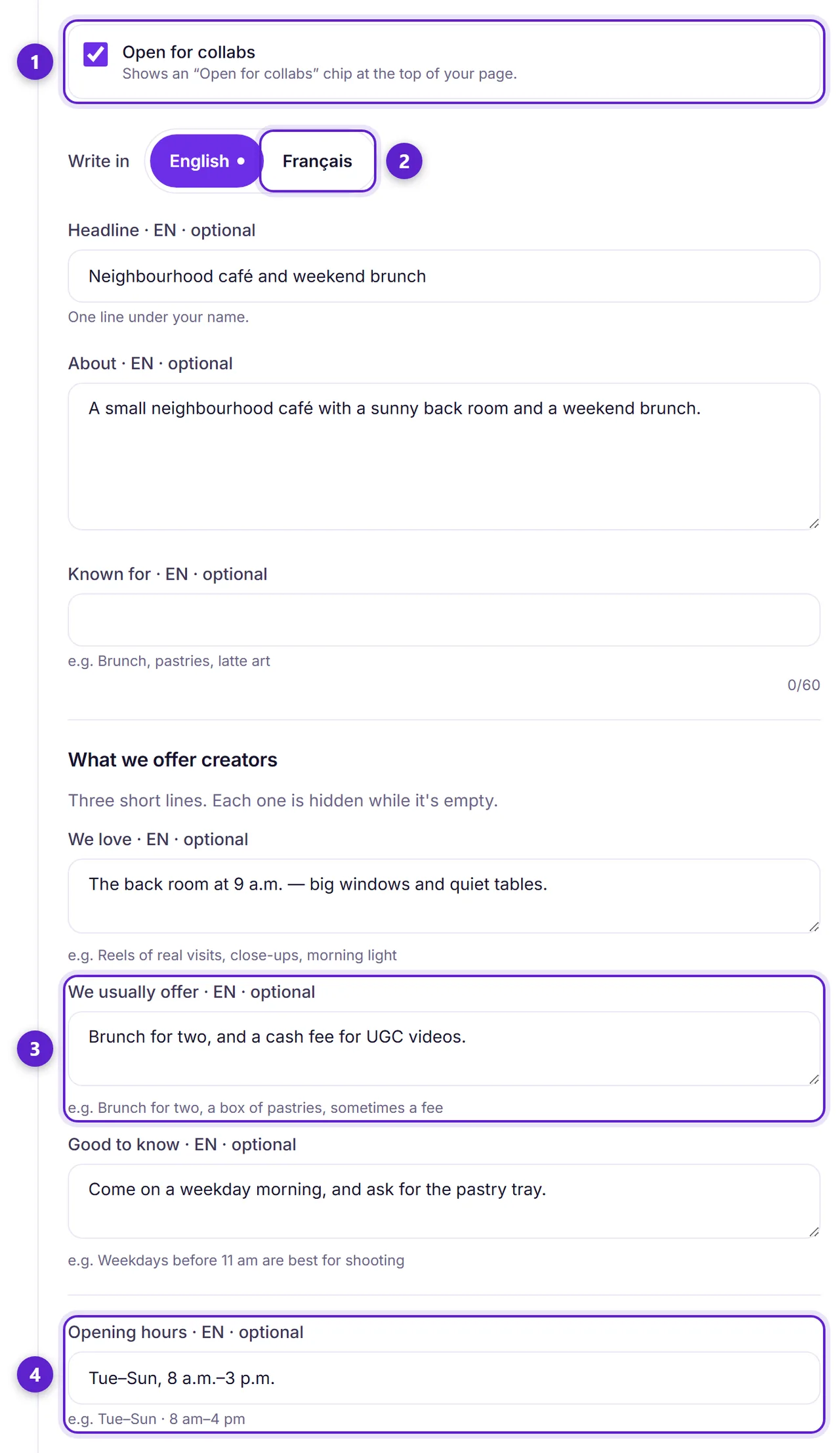
- 1. Open for collabs shows a chip at the top of your page.
- 2. Write in English, French or both. Visitors who read the other language see your text in their language when you've written it.
- 3. We usually offer — for example brunch for two, a box of pastries, sometimes a fee. The three lines (We love, We usually offer, Good to know) are each hidden while empty.
- 4. Your opening hours, the way you'd write them on your door.
Your address, phone and public email live in Settings → Contact details, not here.
Share and stats
Share gives you a short link to your page, a 1080 × 1920 story card in your page's style, and a QR code for a table card or your window. Visits from each are counted in Stats.
Stats shows counts only, for this month and last month: page views, story and QR scans, where visitors came from, and applications to your offers. Muchsy never shows who viewed your page, and your own visits are never counted.
Seen a creator you'd like to work with? Book a creator on Muchsy walks through booking one of their packages.
Ready to try it?
Free to join, no card, and nothing here charges you later.
Something not matching? If a screen here looks different from what you see, tell us — a guide that has drifted is our problem, not yours. Contact