Book a creator on Muchsy
4 min read
Many creators list their own packages on their page. Booking one sends the creator an invitation with the package's terms already filled in. You need a business account; if you're signed out, the button takes you through sign-up first and brings you back.
1. Pick a package
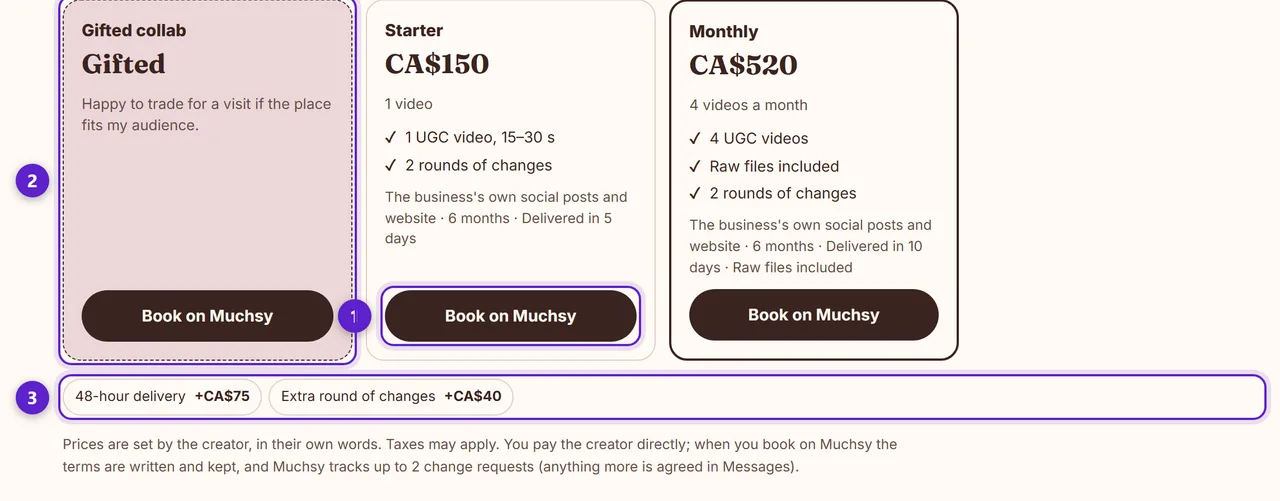
- 1. Book on Muchsy, under a package. The creator's own name, price and what's included are right above it.
- 2. Gifted collab: a product, a meal or a visit in exchange for content, with no fee. It appears when the creator is open to it.
- 3. Extras the creator offers, such as faster delivery. You can add them in the next step.
2. Check the invitation
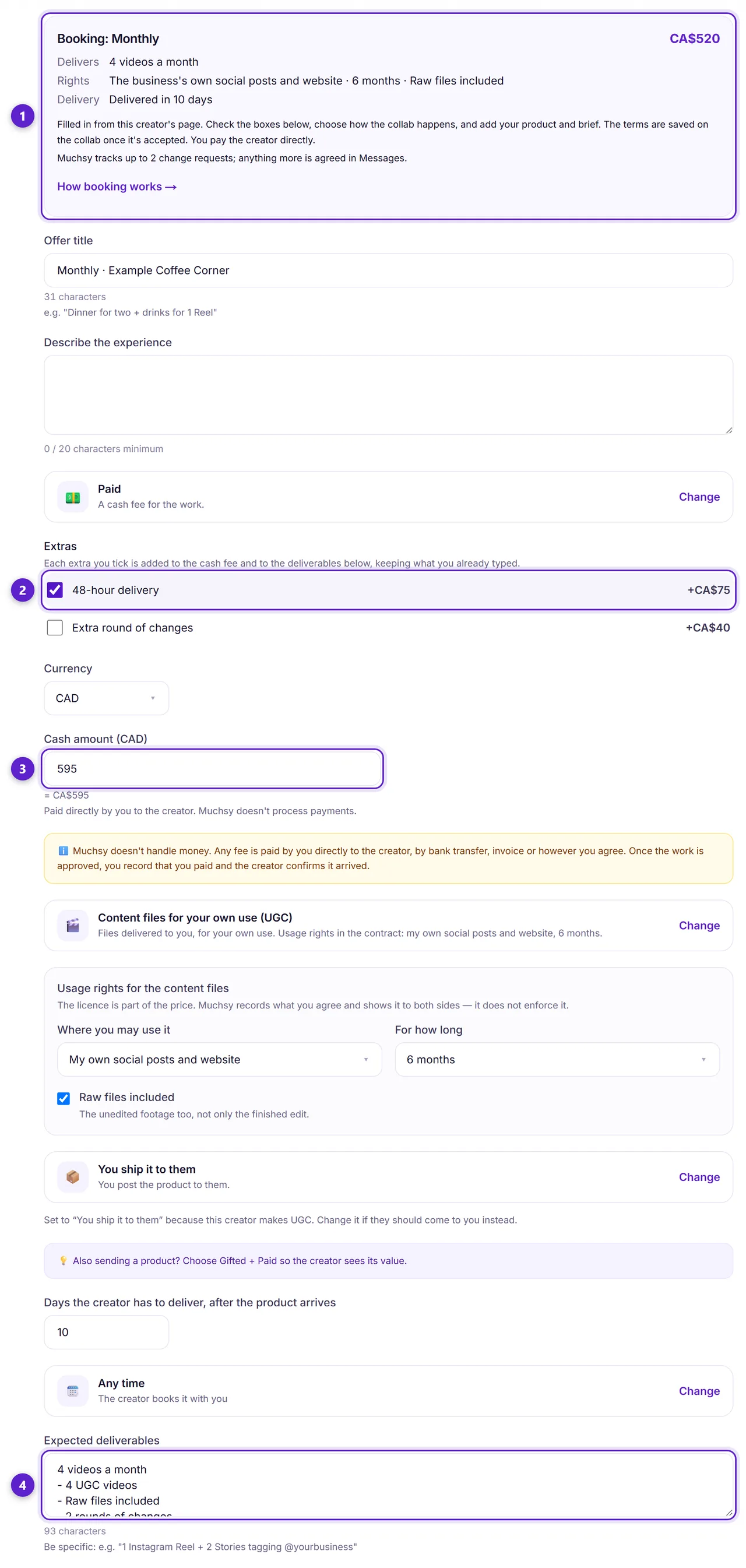
- 1. What the package says, at the top, so you read the terms before the boxes they fill in. On a paid package you pay the creator directly.
- 2. Tick an extra to add it to the fee and to the deliverables. Extras are priced in the creator's currency; with another currency picked, they can't be added.
- 3. The cash fee, filled in from the package. You can change it before sending.
- 4. What the creator delivers, one item per line. Add your product and your brief.
On the same form, choose how the collab happens: the creator comes to you (in person), you ship the product to them, or it's done remotely with nothing to hand over. The delivery time and the usage rights — where and for how long you may use the content — come from the package too. Check them, then send.
3. The creator answers
The creator has 14 days to accept; you'll find the invitation under Invitations sent. When they accept, the terms are saved on the collab as its contract. Changing your page or an offer afterwards never changes a deal already agreed.
4. Delivery and changes
The creator delivers: a link to the live post, links to the files, or both. You can ask for changes up to 2 times; anything more is agreed in Messages. Then you approve the work, and the collab is completed.
5. Paying and reviews
On a paid collab you pay the creator directly, the way you agree. When you've sent the money, press I've paid this on the collab. The creator presses Payment received, and that closes it. Then you both leave a review. Getting paid on a collab explains the payment record.
Muchsy holds no money and takes no commission. What it keeps is the record: the terms, the delivery, the payment marks and the reviews.
Ready to try it?
Free to join, no card, and nothing here charges you later.
Something not matching? If a screen here looks different from what you see, tell us — a guide that has drifted is our problem, not yours. Contact