Word of mouth: a discount, and finding out who actually brought customers
6 min read
Likes and views do not tell you whether anyone came in. A discount attached to your offer does: every person who claims it and is served at your counter is counted against the name of whoever shared the link.
Nobody can claim a discount that no person handed them, and nobody can claim their own. That is deliberate — it is what makes this a measurement of word of mouth rather than a coupon feed.
1. Attach a discount
The discount lives at the bottom of the offer form. You can also run one with no offer at all if you have no interest in creators — one active standalone discount per business, from Word of mouth in the dashboard.
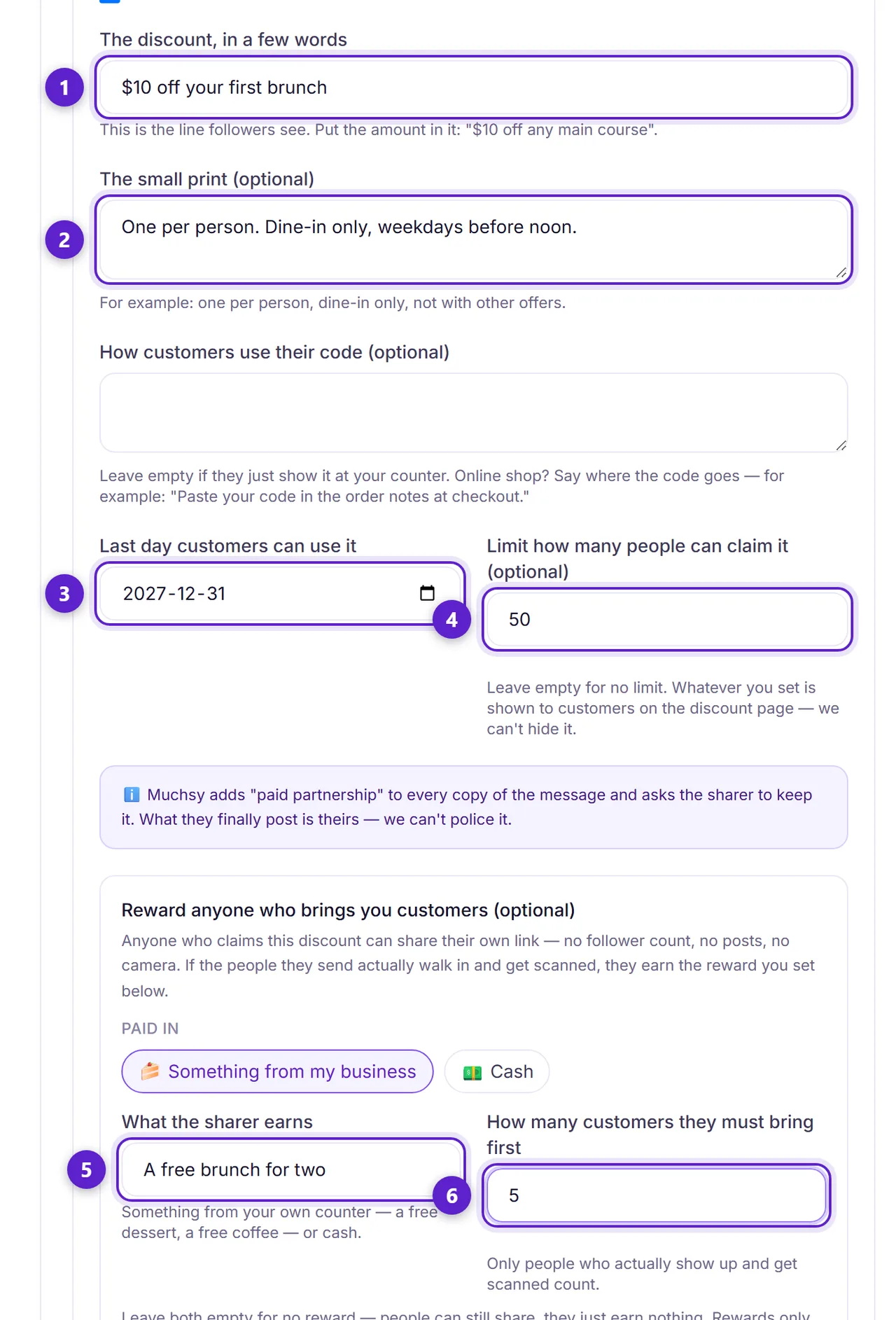
- 1. What the customer gets, in plain words. Prefer a fixed amount over a percentage — a percentage claim brings a burden of proof about your previous prices.
- 2. The conditions. Anything a customer would be annoyed to discover at the till belongs here, not at the till.
- 3. An end date. Required, and shown to every customer before they claim.
- 4. A limit on how many people can claim it. This is your exposure, and it is the number that bounds everything below.
- 5. What a sharer earns for bringing customers — store credit from your own counter, or cash. Cash has a minimum, and the form shows you the worst case before you publish.
- 6. How many customers they must bring to earn it. The reward repeats at every multiple, and your total exposure is still the limit above divided by this number.
2. People share it
Two groups can carry your link. A creator you are already collaborating with gets one automatically. Anyone else — a regular, a neighbour, someone with two hundred friends and no camera — can pick your business off the public Earn by sharing page and take one.
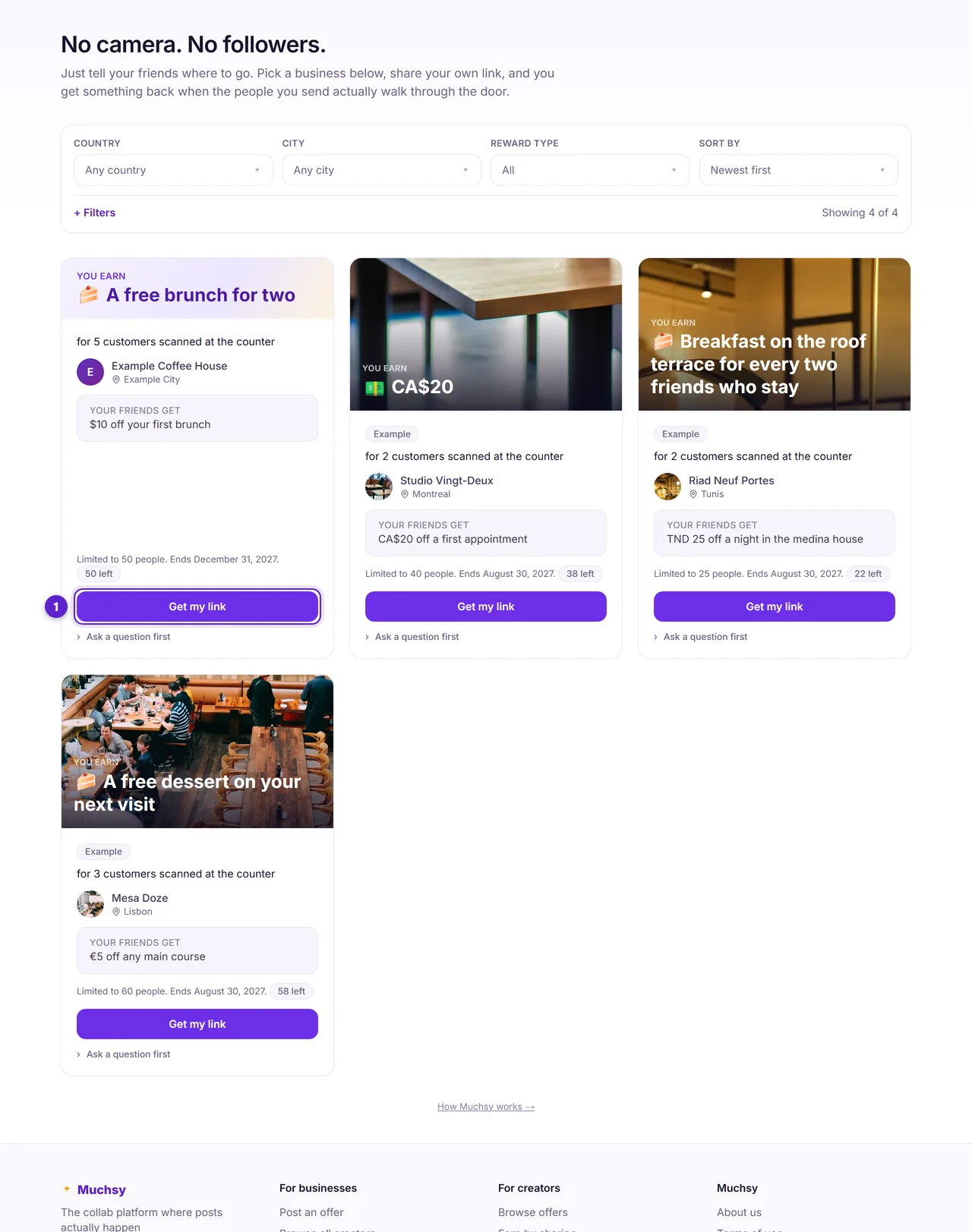
- 1. Your discount appears here, leading with what a sharer earns rather than with the discount itself.
Every message they copy carries a fixed line saying they get a reward if the link is used. You are not relying on anyone's discretion for that.
3. The counter is where it becomes real
A customer arrives with a code in their phone. Someone at your counter redeems it, and only then does anything count.
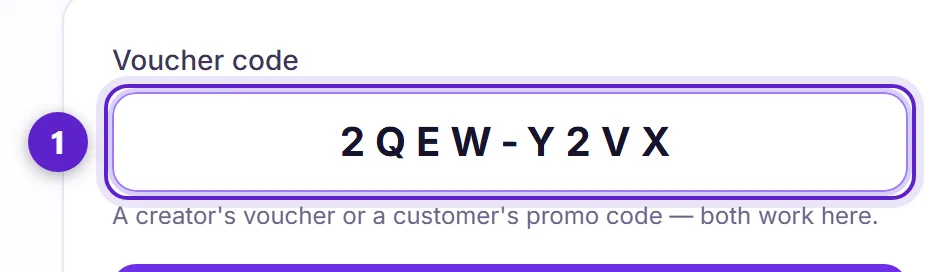
- 1. Scan or type. Three kinds of code arrive at this one screen and are told apart by shape: a collab voucher, a customer's discount, and a sharing reward, which starts with RW.
Enrol the till, not your login. From the same page you can add a device and hand it a redeem-only link — staff never need your password, and you can revoke it whenever you like.
4. What you get out of it
Each promoter's row shows codes taken and, separately, how many of those people were actually served. The second number is the one worth anything: it is a count of real customers, attributed to a name.
Muchsy counts arrivals, never amounts. The platform never sees your prices or your takings — it can tell you eleven people came in, and nothing whatever about what they were worth.
When someone reaches the target, the reward is issued to them. Store credit is redeemed at your counter like any other code. Cash you pay directly, and it is closed by the person who received it — you cannot clear your own debt with a button, and if they say it never arrived, that dispute reaches Muchsy.
Ready to try it?
Free to join, no card, and nothing here charges you later.
Something not matching? If a screen here looks different from what you see, tell us — a guide that has drifted is our problem, not yours. Contact