A collab, start to finish
7 min read
A collab runs through four states: accepted, redeemed, submitted, completed. This guide follows an in-person one all the way through, from both sides. Cash, if there is any, always moves directly between the two of you — Muchsy never touches it.
Not every collab has a visit. An offer can be shipped or fully remote, and it can ask for content files (UGC) instead of, or as well as, a post. Those skip the voucher step entirely — see “Remote collabs, UGC and getting paid”. Everything else below still applies.
1. The business accepts (or declines)
Applications arrive in the inbox, and the dashboard says one is waiting on you. Declining costs nothing and penalises nobody.
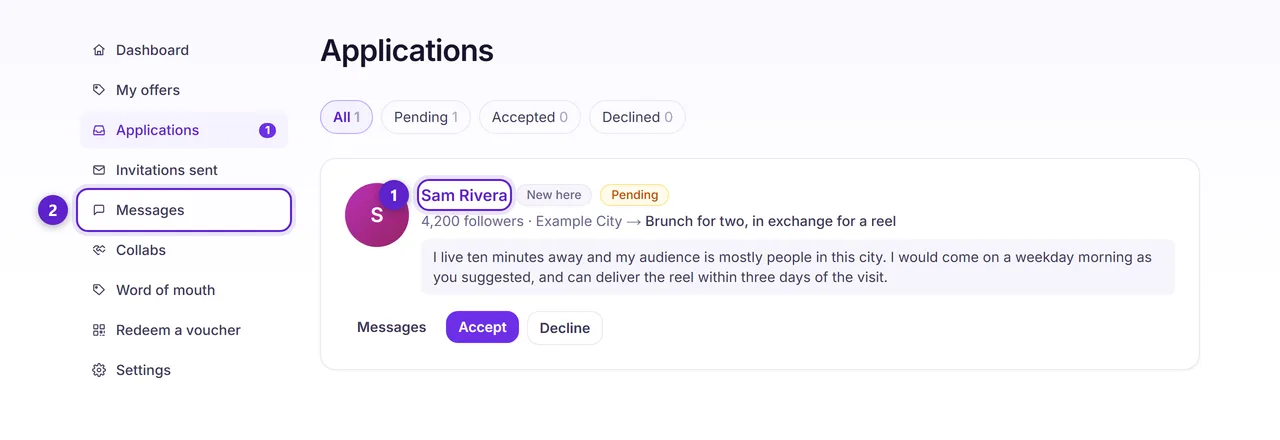
- 1. Open the creator's public page first — their track record, and their completion score once they have three outcomes.
- 2. Message them if something needs settling before you commit. The thread stays with the collab afterwards.
Accepting is the moment the deal is frozen. The deliverables, the deadline and the value are copied onto the agreement, and editing the offer afterwards cannot change them for this creator.
2. The creator gets a voucher
On an in-person collab, acceptance issues a voucher. This is what the creator shows on the visit.
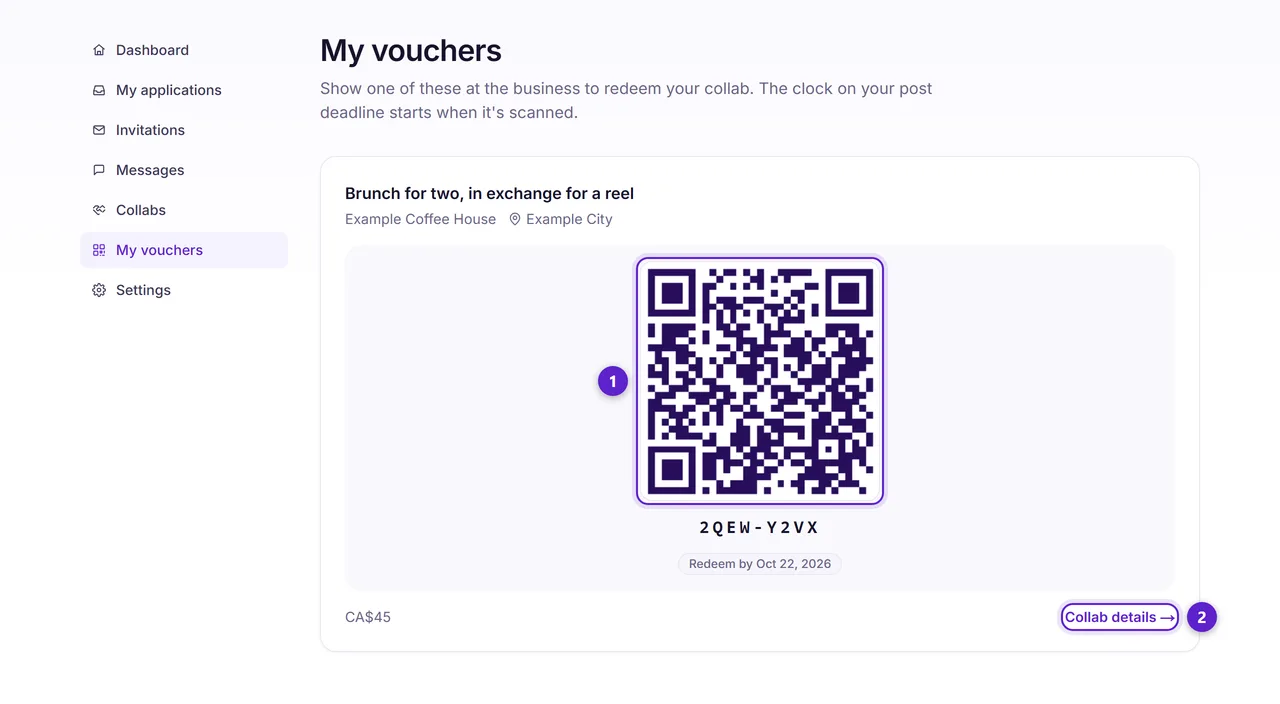
- 1. The QR, with the short code under it in case the camera will not cooperate. There is a date on it — an unredeemed voucher eventually expires, and the business can mark it a no-show.
- 2. Collab details holds the full terms you agreed to, and later the box for submitting your post.
3. The visit, and the scan
On the visit the business redeems the voucher. This is the moment the clock on the post deadline starts.
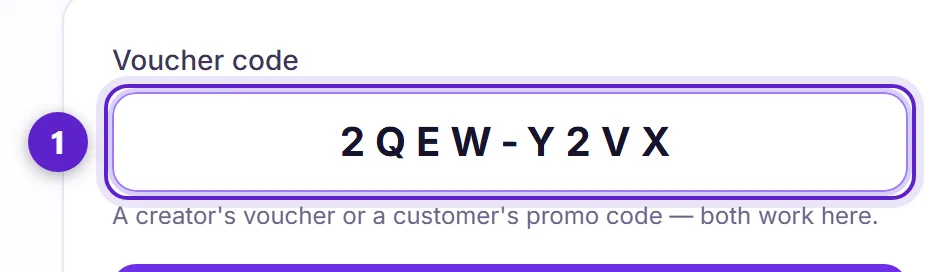
- 1. Scan the QR or type the code. The same screen takes collab vouchers, customer discount codes and sharing rewards — they are told apart by their shape.
Staff can do this without your password. Enrol a till device from the same page and it gets a redeem-only link you can revoke at any time.
4. The creator posts, then evidences it
Once the post is live, the creator submits it from the collab page.
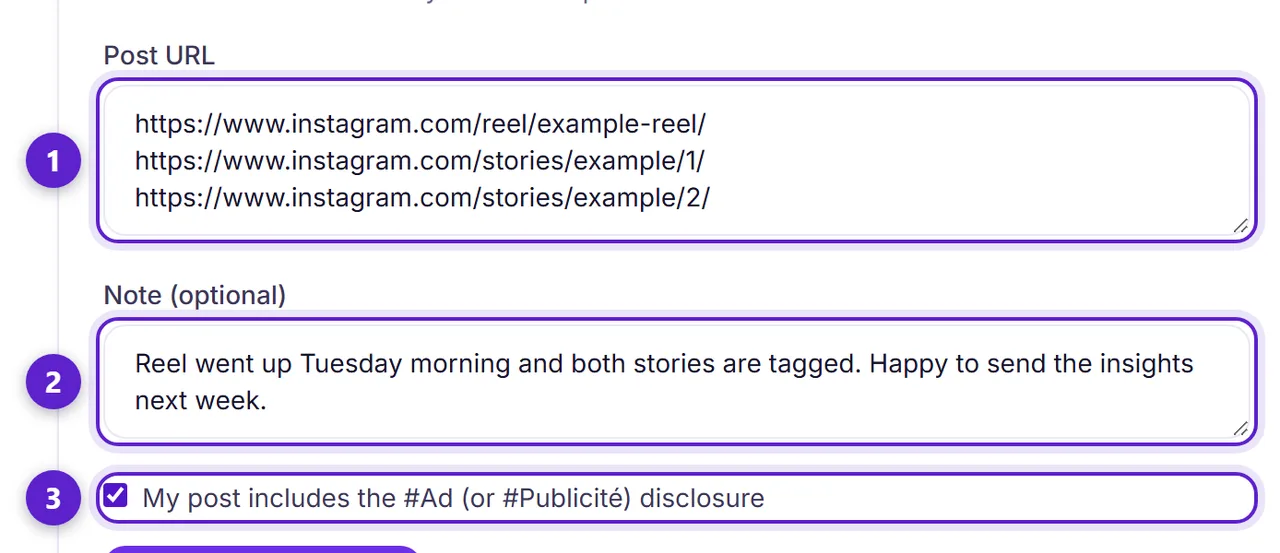
- 1. One link per line. "A reel and two stories" is three links, and evidencing all three is the point — every one is checked, not just the first.
- 2. An optional note for the business.
- 3. Confirm the post is marked as an ad or a partnership. Disclosure is a legal requirement in most countries, and it is on the person who posted.
5. The business confirms, and it completes
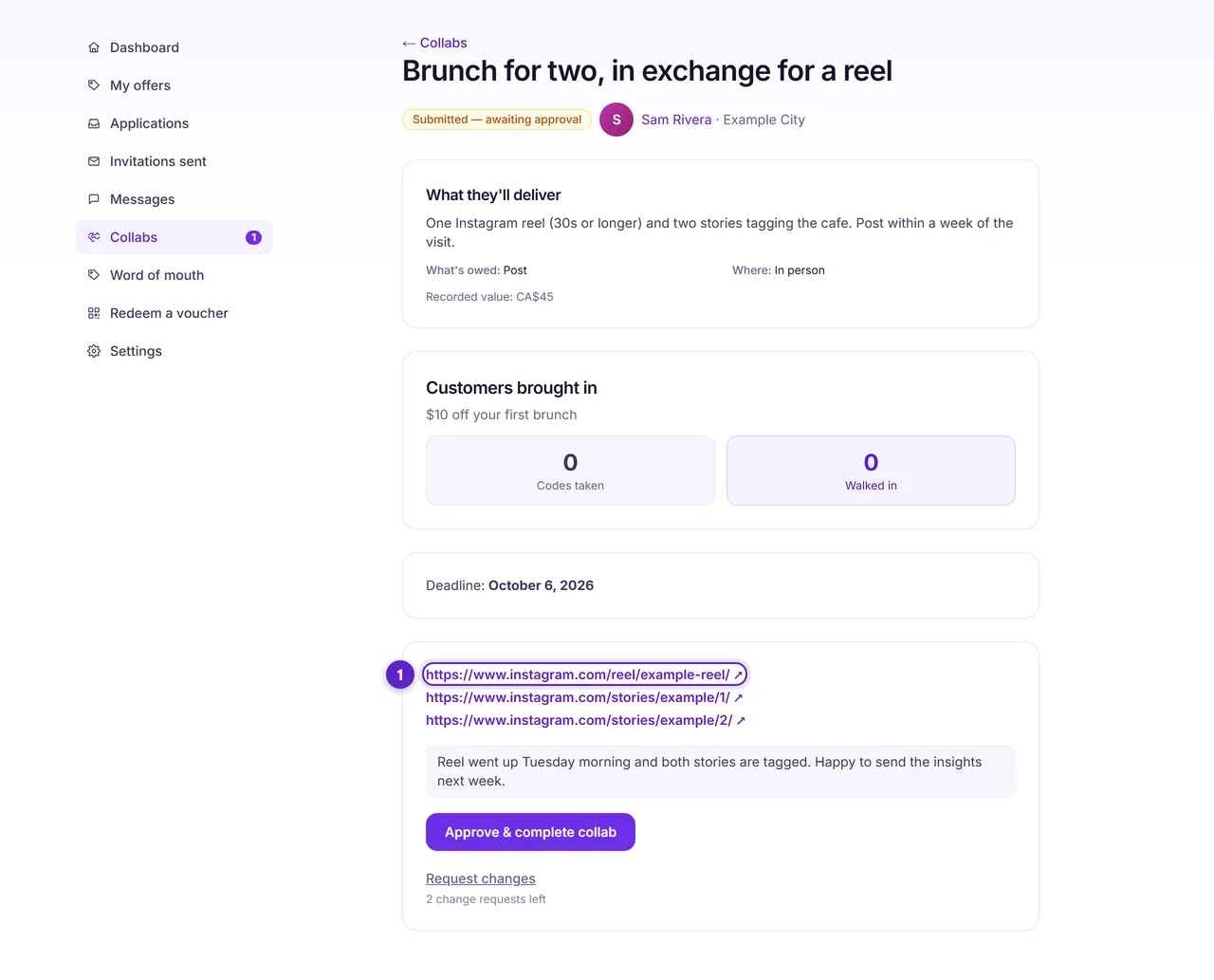
- 1. Open the links and check the post is live and matches what was agreed. If something is missing you can ask for changes, which puts the collab back to redeemed and reopens the creator's side.
Confirming completes the collab, and both sides can then review each other. If a business never responds, a submitted proof completes on its own after seven days — a creator who did the work should not be left uncredited because nobody clicked.
A review can be edited by its author for 24 hours and can never be deleted. The reviewed side gets one public reply. Both of you are emailed when a review lands.
Ready to try it?
Free to join, no card, and nothing here charges you later.
Something not matching? If a screen here looks different from what you see, tell us — a guide that has drifted is our problem, not yours. Contact